Cocobi Hospital - Kids Doctor
- 3.8
- Rating
- 10.00M
- Installs
- Free
- Price

 Analysis by App-foxy
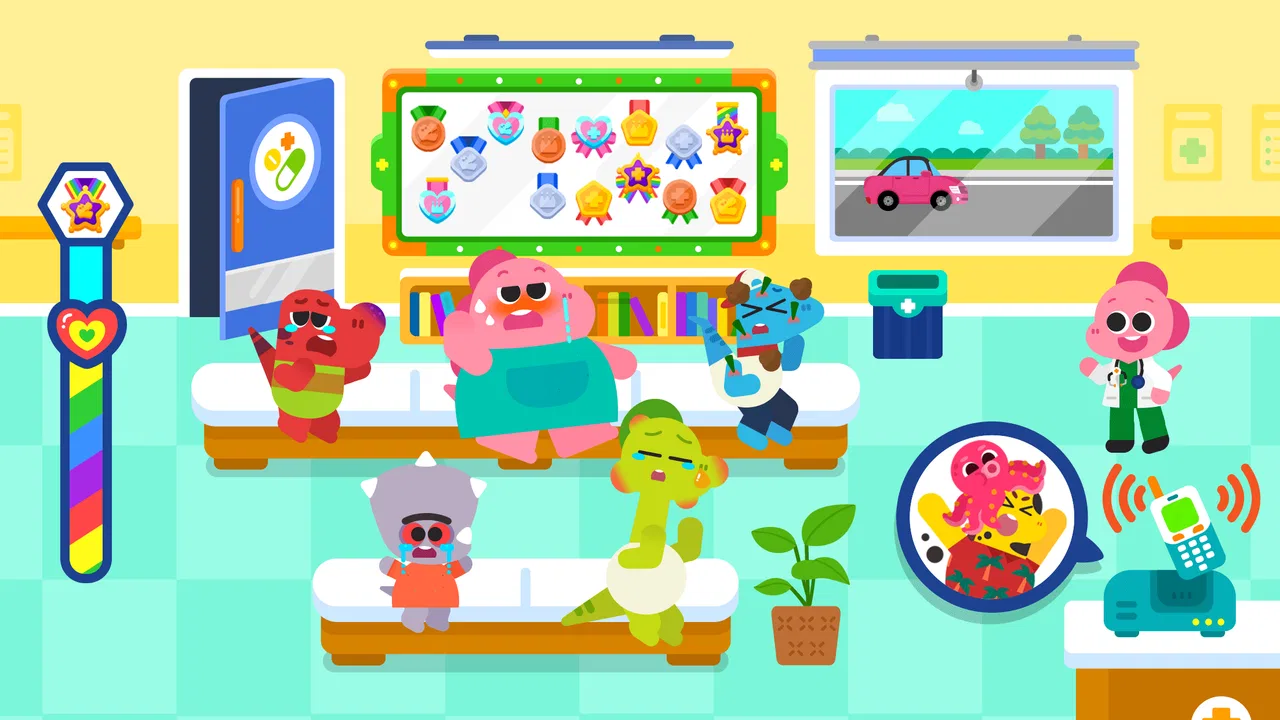
When I tried Cocobi Hospital - Kids Doctor, the feature that stayed with me was its simple hospital role-play. Instead of presenting medicine as a list of facts to memorize, it lets a child step into a friendly care setting with Cocobi, the little dinosaurs, and respond to patients through playful doctor activities. That difference matters: the game is less about testing medical knowledge and more about turning familiar healthcare moments into something approachable.
I see it as an educational game for young children who enjoy pretend play, especially those who like toy doctor kits, dinosaurs, or stories about helping others. It is free to start, rated for Everyone, and developed by KIGLE. The game has reached over ten million installs, while its average rating sits at 4.0 from around five thousand ratings. Those figures suggest that it has found a broad audience, although they do not remove the need for a parent to check whether its pace and style suit a particular child.
Why the hospital role-play is the main strength
The most useful capability here is the way the game turns a hospital visit into a sequence of small, understandable actions. A child is not simply told that doctors help people. The child gets to participate in a playful version of that process, choosing actions and seeing the situation move forward. For a preschooler, that can make the idea of examination and care feel less mysterious.
You May Also Like

 Blood Strike: 2.5 Anniversary
Blood Strike’s Loadouts Turn Every Drop Into a Tactical Gamble
A close look at Blood Strike’s custom loadouts: how fast access to signature weapons reshapes its battle royale rhythm, rewards preparation, and narrows the gap between fights.

 Pandora - Music & Podcasts
Pandora’s Music Is Easy to Start, but Harder to Recover
Pandora’s strength is its low-effort path from a seed to a station. Its weak spot is how much confidence it asks you to place in connection, setup, and quiet recovery.

 8 Ball Pool
 Is Built on Rivalries, Rematches, and Routine
A close look at the rivalries, rematches, shared routines, and unanswered safety questions that turn a quick pool match into a persistent mobile community.

 Samsung Music
’s Quiet Strength Is Playing What You Already Own
Its reach comes less from spectacle than from dependable access to a personal library. That simplicity is both the app’s strongest retention engine and its ceiling.

 AccuWeather: Weather Radar
AccuWeather Review: A Quick, Clear Forecast for Everyday Decisions
For everyday plans, the best forecast is the one you can understand quickly. AccuWeather makes rain timing, radar, and local conditions easy to act on, with a few trade-offs.

 Hill Climb Racing
Why Hill Climb Racing Still Turns Crashes Into One More Run
A tiny car, a bumpy hill and one more upgrade: Hill Climb Racing keeps resurfacing because its simple chaos makes every near-miss feel personal.
More From Our News Desk



In my experience, this kind of interaction works best when an adult treats it as a conversation starter rather than a lesson with a correct academic outcome. While playing, a child may talk about why someone visits a hospital, what a doctor does, or how a patient might feel. The game provides the setting; the adult can connect it to everyday life without making the activity feel like homework.
That is also why I would not judge it by the standards of a more advanced learning app. It does not need to teach anatomy, diagnosis, or medical vocabulary to be useful for its intended audience. Its educational value is found in familiarity, sequencing, empathy, and confidence around a common real-world environment. The game’s real lesson is that care can be understood through gentle, manageable actions.
The dinosaur theme helps soften the hospital setting. A realistic medical simulation could make some children uncomfortable, particularly if they have recently had an unpleasant appointment. Cocobi’s bright, playful presentation gives the experience a more reassuring tone. That does not guarantee that every child will enjoy it, but it makes the concept easier to approach than a serious hospital-themed activity would be.
What playing feels like in everyday use
The best way to use this game is in short, focused sessions. I would hand it to a child before a planned checkup, after a conversation about visiting a doctor, or during quiet play when the child wants to imitate adult jobs. The hospital setting gives pretend play a clear direction, while the dinosaur characters keep the mood light.
One practical approach is to let the child play independently first, without interrupting every action with questions. Afterward, I would ask which part they liked and whether anything looked familiar from a real appointment. This avoids turning the game into an interrogation and gives the child room to explain what they understood in their own words.
A second useful approach is to use it as preparation rather than distraction. If a child is nervous about a visit, playing beforehand may help create a basic mental script: someone arrives, receives attention, and is helped. I would still avoid promising that a real appointment will feel exactly like the game. The value is in making the setting recognizable, not in reproducing clinical reality.
For independent play, the straightforward presentation is an advantage. A young player is less likely to need lengthy instructions before getting started. On the other hand, parents should remain nearby if the child tends to tap quickly or become frustrated when an activity does not respond as expected. The game is designed for children, but child-friendly does not mean every interaction will be equally clear to every age group.
A realistic scenario where it fits especially well
Imagine a child who has just learned that a sibling or friend needs to visit a doctor. The child may ask repeated questions, not because they want a technical explanation, but because the situation feels unfamiliar. A short session with Cocobi Hospital can offer a safe form of rehearsal. The child can explore the idea of helping and being cared for before discussing the real event again.
I would use the game after dinner or during a calm afternoon, not immediately before rushing out the door. The parent can sit beside the child, allow the role-play to unfold, and then explain which parts resemble the upcoming visit and which parts are simply game-like. This distinction is important. It preserves the comforting effect without creating unrealistic expectations about what a hospital appointment will involve.
It can also work well for a child who enjoys caring for stuffed animals. After playing, the child might continue the theme with toys, pretending to check on them or make them comfortable. That extension is where the game becomes more valuable than a few minutes of screen time: it can transfer into offline imaginative play. I would encourage that transition instead of immediately opening another digital activity.
For siblings, the game may become a shared role-play prompt, although the experience is still better suited to simple cooperation than to competitive play. One child can explain what is happening while another watches or joins the pretend scenario. If the children argue over control, the educational benefit quickly gives way to ordinary screen-time friction, so a parent may prefer individual sessions.
Where the experience has limits
The same simplicity that makes the game accessible can make it feel shallow for older children. A child looking for detailed science, realistic medical problems, or challenging quizzes will probably outgrow it quickly. It is not the right replacement for a structured health lesson, a reading activity, or a deeper educational game with progressive academic content.
I also would not use it as a source of medical guidance. Playful hospital actions should remain playful. A child should not be expected to learn how to respond to an injury or illness from this game, and parents should correct any misunderstanding that carries into real life. The game can support emotional familiarity, but it is not a medical reference.
Another trade-off is repetition. Young children often enjoy repeating the same activity, so what feels limited to an adult may be perfectly satisfying to the intended player. Still, parents looking for a game that grows substantially with a child’s skills may find the experience less rewarding over time. Its strongest use is as a gentle role-play tool, not as a long-term curriculum.
The free entry point is convenient, but the game includes in-app purchases priced at $1.99 per item. I would check purchase settings before handing over a device, especially when a child is playing without direct supervision. The presence of optional purchases does not make the game unsuitable, but it does mean that “free” should be understood as free to begin rather than a guarantee that every possible item is included without cost.
There is also a difference between a calm, guided session and unrestricted access. If a child keeps returning to the same hospital scenario for hours, the issue is no longer whether the game is educational enough; it is whether the overall screen routine is balanced. I would set a simple stopping point and move into drawing, toy play, or a conversation about the activity.
How it compares with common alternatives
Compared with a general doctor-themed toy, this game offers immediate visual feedback and a guided sequence. A toy gives more freedom and encourages physical imagination, while the app gives the child a ready-made hospital world. I prefer the toy when the goal is open-ended creativity, but I prefer this game when a child needs a gentle introduction to the idea of hospital care.
Compared with a flashcard or quiz app, it feels less demanding and more emotional. There is less emphasis on remembering labels and more on taking part in a situation. That makes it a weaker choice for a child who wants measurable academic progress, but a stronger choice for a younger child who learns through imitation and simple interaction.
Compared with realistic medical games, Cocobi Hospital is the safer pick for children who may be sensitive to clinical imagery. The dinosaur characters create distance from real illness. The trade-off is that the experience may not prepare an older child for the practical details of an actual appointment. I would choose based on the child’s purpose: reassurance and pretend play favor this game; detailed preparation may call for a parent-led explanation instead.
It also differs from broad virtual-world games that offer many unrelated activities. A focused hospital theme makes the learning intention clearer. A child knows what kind of pretend play to expect, and a parent can connect it to a specific conversation. The downside is narrower variety, so children who need constant novelty may lose interest sooner.
Small choices that improve the experience
First, I would play once before recommending it to a child who is anxious about doctors. Even a friendly hospital game can bring the subject to mind, and children react differently to medical themes. A quick parent preview helps you decide whether the tone feels comforting for that particular child.
Second, I would avoid correcting every detail while the child is playing. If the child calls an action by the wrong name, I would let the role-play continue and introduce the accurate word naturally afterward. This keeps the experience playful while still giving the adult a chance to build vocabulary.
Third, I would use the game to notice what the child is actually worried about. A child who repeatedly focuses on the patient, the doctor, or a particular part of the setting may be revealing a concern. The app cannot answer that concern by itself, but it can give the parent a concrete opening for a calm discussion.
Fourth, I would treat the purchase option as part of the setup, not an afterthought. Before a child plays, make sure the device’s purchase controls match your household rules. This is especially helpful when the game is being used as a quiet activity during travel or while a parent is occupied nearby.
Finally, I would end with an offline follow-up. Drawing a hospital, caring for a stuffed dinosaur, or explaining what a doctor does can extend the learning without adding more screen time. That simple step makes the app feel like one part of a broader play routine rather than the entire activity.
Who is most likely to enjoy it
I think the best audience is a young child who likes dinosaurs, pretend professions, and short guided activities. It is particularly suitable when the family wants to make the idea of visiting a hospital feel more familiar without showing realistic or intimidating material. The Everyone age rating reflects its broad child-friendly positioning, but a parent’s knowledge of the child should still guide the decision.
It is also a good fit for caregivers who want a low-pressure way to talk about helping and being helped. The game does not require a child to read a long explanation before joining in, which makes it more approachable for early learners. A parent, teacher, or older sibling can add the discussion that the game itself does not provide.
I would skip it if the child is looking for difficult puzzles, substantial science content, multiplayer competition, or a game that keeps introducing advanced challenges. I would also skip it as a substitute for professional advice or serious preparation for a medical procedure. In those situations, direct conversation with a trusted adult or appropriate professional is more useful.
The technical entry point is fairly accessible: the current version is 1.0.46 and it runs on Android 7.0 or later. That makes it practical for families using an older compatible Android device, although the actual comfort of play will still depend on the device and the child’s patience with it. I would install it ahead of time rather than waiting until a stressful moment, then check the controls and purchasing settings.
My final take on this gentle educational game
After spending time with it, I see Cocobi Hospital as a focused tool for playful familiarity, not a complete lesson about healthcare. Its best capability is turning a potentially intimidating setting into a friendly sequence that a child can explore. That is a modest goal, but it is a meaningful one when used at the right moment.
I would recommend it to a parent whose child enjoys dinosaur characters and needs a soft introduction to hospital role-play. I would keep sessions short, stay available for questions, and follow the game with real conversation or offline play. The free starting price is helpful, while the individual in-app purchases make a little device supervision sensible.
KIGLE has made something approachable rather than ambitious. That is both its strength and its boundary. If you want deep medical education, you should look elsewhere; if you want a reassuring, child-sized way to explore the idea of doctors and patients, this game earns a place in the rotation. For the right child, its value comes from making care feel familiar enough to imagine.
FAQs for Cocobi Hospital - Kids Doctor
01What is Cocobi Hospital - Kids Doctor about?
Cocobi Hospital - Kids Doctor is an engaging educational game designed for children to explore the world of healthcare. Players can take on the role of a doctor, treating various patients and learning about medical procedures in a fun, interactive way. The game aims to educate kids about the importance of health and wellness.
02Is Cocobi Hospital - Kids Doctor suitable for all ages?
The game is primarily designed for children aged 3 to 8 years old. It features simple controls and colorful graphics that are appealing to young players. While older children might find it less challenging, the educational content is beneficial for younger audiences who are curious about the medical field.
03Does Cocobi Hospital - Kids Doctor require an internet connection?
Cocobi Hospital - Kids Doctor can be played offline, making it convenient for use during travel or in areas with poor internet connectivity. However, certain features or updates may require an internet connection to access or download, enhancing the overall gaming experience.
04Are there in-app purchases in Cocobi Hospital - Kids Doctor?
Yes, the game includes optional in-app purchases. These can enhance gameplay by unlocking additional tools, characters, or levels. Parents can manage or disable in-app purchases through device settings to prevent unauthorized spending by children while they enjoy the game.
05Is Cocobi Hospital - Kids Doctor available for both Android and iOS?
Cocobi Hospital - Kids Doctor is available for download on both Android and iOS platforms. Users can find the app in the Google Play Store and Apple App Store. Ensure your device meets the required specifications for optimal performance and a smooth gaming experience.
Pros
- Engaging graphics for kids.
- Intuitive interface for easy play.
- Educational content about health.
- No in-app purchases required.
- Variety of medical tools to explore.
Cons
- Limited levels may bore quickly.
- Repetitive sound effects.
- Occasional lag on older devices.
- No multiplayer options.
- Ads can disrupt gameplay.

Cocobi Hospital - Kids Doctor
Gallery